


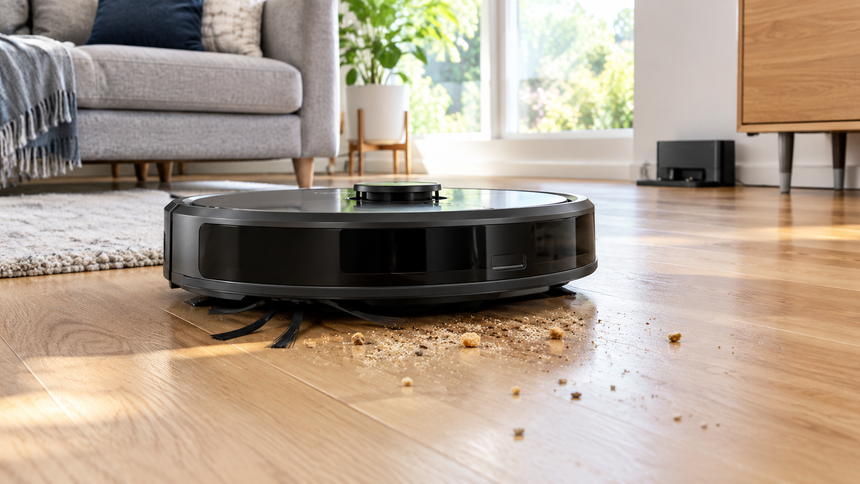
How does a robot vacuum work? A robot vacuum looks simple from the outside: a flat disc that moves across your floors while you do something else. Inside, sensors, brushes, a suction motor, software and a battery work together. Understanding these parts makes it easier to choose a model that suits your home and to know what it can realistically do.
The question “how does a robot vacuum work” is easier to answer when you look at navigation, cleaning parts, app controls and charging as one connected system. This guide explains each stage in plain language, including the features that matter most and the limitations worth knowing before you buy.
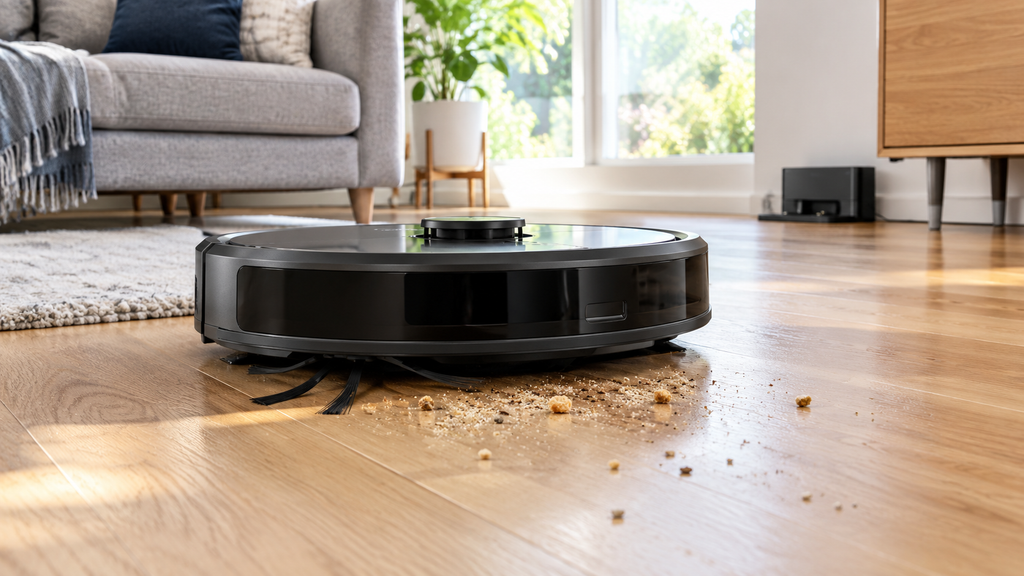
How does a robot vacuum work? 7 key parts explained
A robot vacuum uses sensors to figure out where it is, a brush and a suction motor to pick up dirt, a small dustbin to hold it, and a battery that sends it back to its dock when it runs low. Where models really differ is in how smartly they navigate.
How it finds its way around
There are three common approaches, and the one a vacuum uses has a big effect on how well it cleans.
Random or bump navigation. Simpler, cheaper models drive until they hit something, turn, and try again. They cover most of a room eventually, but they repeat some spots and miss others. It works fine in a small, simple space.
Camera or gyroscope navigation. These models track their movement and use a camera or internal sensors to plan neater, back-and-forth rows. They usually clean more evenly than bump-style robots.
LiDAR mapping. A small spinning sensor on top fires out laser pulses and measures how long they take to bounce back. The vacuum builds a map of your rooms, which is why higher-end models can clean in straight lines and remember your floor plan. Many also work in the dark, since they don’t rely on a camera.
On top of that, almost every robot has cliff sensors underneath, so it stops before tumbling down stairs, and bumpers that tell it when it has touched a wall or a chair leg.
For a model-specific example of room mapping, see iRobot’s official Smart Maps guide, which explains how supported robots create and customize maps.
How it actually cleans
Most robot vacuums combine a few parts:
- A side brush that flicks dirt out of corners and along baseboards toward the middle.
- A main brush (sometimes rubber, sometimes bristle) that agitates the floor and carpet.
- A suction motor that pulls dirt up into the bin. Suction is often listed in pascals (Pa), but numbers from different brands are not always directly comparable, so treat them as a rough guide.
- A filter that traps fine dust so it does not blow back into the room.
If you have long hair or a shedding pet, the brush design matters more than the suction number. Hair wraps around bristle brushes, while rubber or anti-tangle designs tend to be easier to maintain. Check how easily the roller can be removed before buying.
Apps, schedules and maps
Most mid-range and higher models connect to an app over Wi-Fi. From there you can usually start a cleaning run, set a schedule, see the map it created, and block off areas you want it to skip, such as a pet’s water bowl or a rug with fringe. Voice assistant support is common, too.
If you do not want to deal with an app, plenty of models also have a button on top and a basic remote, and that is perfectly fine for a smaller home.
Docking, charging and self-emptying
When the battery runs low, the robot heads back to its charging dock, recharges, and many models will then go back out to finish the job. Some pricier models come with a self-emptying base that sucks the dirt out of the robot’s bin into a larger bag, so you only deal with it every few weeks instead of every run. Those bases take up more floor space and the replacement bags are an ongoing cost, so factor that in.
Before the first cleaning run, follow a practical setup checklist such as Consumer Reports’ robotic vacuum setup guide, especially for dock placement, loose cables and clearing the cleaning path.
What about mopping?
Some robot vacuums include a mopping pad or a small water tank. These are fine for light, regular upkeep on hard floors, but they do not scrub like a hand mop. If you have mostly carpet, you will not get much use out of this feature.
What robot vacuums are not great at
It helps to go in with realistic expectations:
- Cords, socks and small objects can tangle or block them. A quick pick-up before each run helps a lot.
- Pet accidents are a real risk. If you have a pet who sometimes has accidents, keep that in mind and check the vacuum’s features before you buy.
- Thick rugs and thresholds can be a struggle, depending on the model and how high the pile is.
- Deep cleaning is still a job for a regular vacuum now and then. A robot is for maintenance, not for a once-a-season deep clean.
Planning your next home-gadget purchase? Compare room-cleaning needs with our guide to choosing the right air purifier size or our advice on what size air fryer you need. Publish those companion posts before using these links, and adjust the paths if your WordPress slugs differ.
Who they suit best
Robot vacuums are a good fit if you want your floors to stay reasonably clean between proper cleanings, if you have pets that shed, or if bending and pushing a vacuum is hard on your back. They are less helpful in cluttered homes, or in homes with lots of stairs and multiple floors, unless you are willing to carry the robot from level to level.
Quick FAQ
Do robot vacuums need Wi-Fi? Not to clean. You only need Wi-Fi for the app, schedules and voice control.
How does a robot vacuum work without Wi-Fi? Most models can still start cleaning from the onboard button, but app schedules, remote controls and voice commands may be unavailable.
How long does the battery last? It varies by model and by how much carpet it is working on, so check the manufacturer’s listed runtime, and remember that carpet shortens it.
How does a robot vacuum work on carpet? It uses the same brush and suction system, but thicker carpet can increase resistance and drain the battery faster. Results vary by model and carpet pile.
Can it replace my regular vacuum? For most homes, no. Think of it as a daily helper that makes your regular vacuuming less frequent.
Final thoughts
Before buying, return to the main question: how does a robot vacuum work in your specific layout? Match the navigation system, brush design, dustbin capacity and dock features to your floors, pets and cleaning routine. A good model should reduce daily maintenance, not eliminate every cleaning task.



